How to Turn Social Media Attention Into Website Traffic


Social media can earn views without creating a website visit. That does not mean the post failed; it means the path from the post to the website was incomplete, unclear, or unmeasured.
A measurable path needs four parts: useful content, a CTA that names the benefit, a matching page, and a trackable link. The goal is to give the right person somewhere useful to go when they are ready.
|
Views Are Attention, Not Website Traffic
Views show attention, not a website visit. A strong Reel can introduce an idea, but without a clear destination the journey ends on the platform.
Before deciding people are not interested, verify that the link works, the destination matches, and the test visit appears in GA4 Realtime.
Choose the Destination Before Writing the CTA
Choose the destination before the final caption line: blog, service page, portfolio, free audit, contact page, or product page.
Once the destination is clear, the CTA can name the exact benefit after the click.
Give a Specific Reason to Click
Instead of “learn more,” name the value: read the checklist, compare options, see the case study, request the free audit, or view the product.
Use one truthful benefit—not several competing buttons or promises.
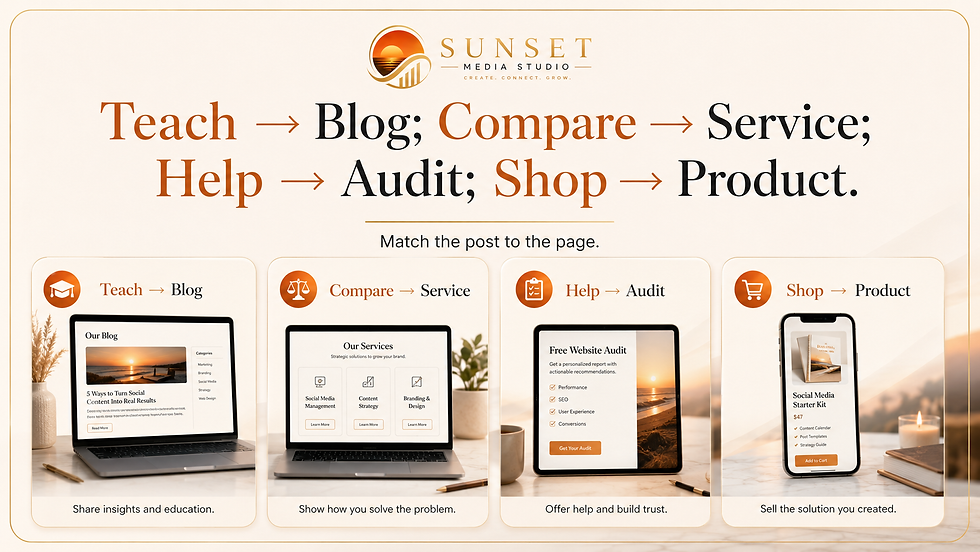
Match the Post to the Page
Teaching content belongs on a resource; service questions on the service page; proof in a portfolio or case study; product content on the exact product page.
A matching page removes the need to search for the promised information again.

Continue the Same Promise on the Website
The page headline and first screen should confirm the visitor arrived in the right place.
If the post promises a traffic checklist, open with that topic—not a general business introduction.
The page can go deeper without changing the subject. Consistency builds trust.
Use One Primary Next Step
After delivering the promised information, offer one next step: a related guide, service, free audit, product, or question.
Supporting links are fine, but one primary action should be visually obvious.
Where Should Each Post Send People?
· Teaching post: send people to the full blog, checklist, or resource.
· Service question: send people to the matching service page.
· Proof or result: send people to a portfolio example, testimonial, or case study.
· Unsure where to start: send people to the Free Social Media Audit or contact page.
· Ready to buy: send people to the exact product page—not the full store homepage.
A Simple Seven-Day Traffic Test
Keep one guide first in the Instagram bio all week. Use direct UTM links on Facebook and link stickers on the three Story days. Test on a phone and confirm GA4 Realtime before promotion.
After seven days, review sessions, engaged sessions, page views, scrolls, internal clicks, and form starts by utm_content. Keep paths that create engaged visits; change one part of weak paths. Request a Free Social Media Audit for help finding the next opportunity.
Ready to Make Your Marketing Easier?
You do not have to create every post, caption, or marketing idea from scratch. Sunset Media Studio provides practical strategy, thoughtfully designed resources, and personalized support to help your business show up online consistently. I know what it feels like to sit down to do your social media and think, "What in the heck do I post about this week?" Now I run the Social Media and website campaigns for several businesses. Try my process...it really works.
Quick Links:


Comments